Changelog

Plugins, Sandbox Access Controls, and Async Subagents

This release introduces plugins for extending Cursor, improvements to core agent capabilities like subagents, and fine-grained network controls for sandboxed commands.

Plugins on the Cursor Marketplace

Plugins package skills, subagents, MCP servers, hooks, and rules, into a single install. The Cursor Marketplace lets you discover and install plugins to extend Cursor with pre-built capabilities.

Our initial partners include Amplitude, AWS, Figma, Linear, Stripe, and more. These plugins cover workflows across design, databases, payments, analytics, and deployment.

Browse plugins at cursor.com/marketplace or install directly in the editor with /add-plugin.

Read more in our announcement.

Sandbox network access controls

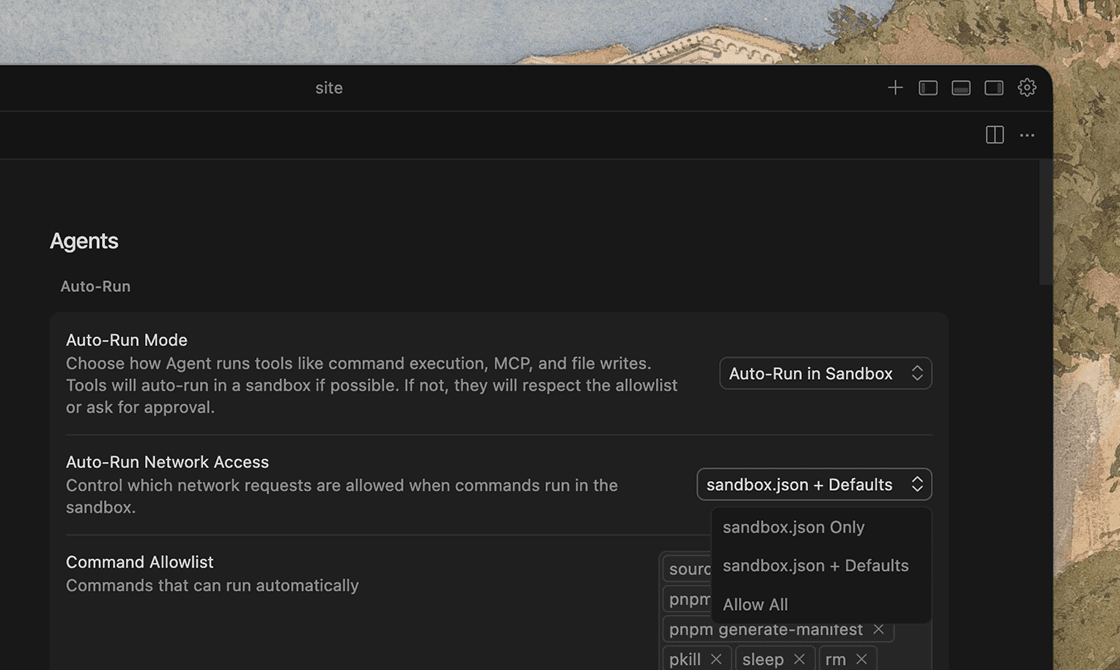
The sandbox now supports granular network access controls, as well as controls for access to directories and files on your local filesystem. Define exactly which domains the agent is allowed to reach while running sandboxed commands:

  • User config only: restricted to domains in your sandbox.json
  • User config with defaults: restricted to your allowlist plus Cursor's built-in defaults
  • Allow all: unrestricted network access within the sandbox
Admins on the Enterprise plan can enforce network allowlists and denylists from the admin dashboard, ensuring organization-wide egress policies apply to all agent sandbox sessions.

Async subagents

Previously, all subagents ran synchronously, blocking the parent agent until they complete. Subagents can now run asynchronously, allowing the parent to continue working while subagents run in the background.

Subagents can also spawn their own subagents, creating a tree of coordinated work. This allows Cursor to take on bigger tasks like multi-file features, large refactors, and challenging bugs.

We've also made some performance improvements to subagents since our last release. They now run with lower latency, better streaming feedback, and more responsive parallel execution.

  • Agents can now search past conversations and use chat history as context.
  • The Cursor CLI agent can handle the sudo password prompt inline for commands that require elevated privileges.
  • Common operations like git clone, npm install, and pip install now work out of the box in the agent sandbox. You can extend or override these defaults per-project.
  • When the agent is in Plan mode, you can now choose "Build in Cloud" to hand off plan execution to a Cloud Agent while you continue working locally or close your laptop.
  • Toggle inline diffs on or off in your settings. By default, diffs are shown only in the review panel.
  • Renamed "Duplicate Chat" to "Fork Chat" in the three-dot menu of a chat message.
  • Improved permission request flow for subagents.
  • Improved the performance of very long chats.
  • Improved the performance of @ mentions.
  • Added keyboard shortcut ⌘+Enter (Ctrl+Enter) to submit messages in agent conversations.
  • Removed the Dotfile Protection setting to remove unexpected approval prompts when the agent tried to edit dotfiles.
  • Removed Default Mode setting so each new agent conversation begins fresh.
  • Removed Auto-Accept on Commit setting so pending diffs are automatically accepted when you commit.
  • Cleaned up the More Actions chat menu.
  • Added a Close button to the agent chat pane.
  • Manual edits no longer create in-line diffs.

  • Fixed bug where some terminal tool calls caused degraded performance.
  • Fixed keybinding behavior for Cmd+Opt Left/Right for tab navigation.
  • Fixed an auto-run mode switching bug.
  • Fixed errors when creating project rules with no workspace open.
  • The global ignore list is now empty by default to fix sandboxing issues. Existing ignore patterns still work the same.
  • Stopping the parent agent will always stop the child subagents.
  • Enforce read-only sandbox for Ask mode even with "Run everything" enabled.
Long-running Agents in Research Preview

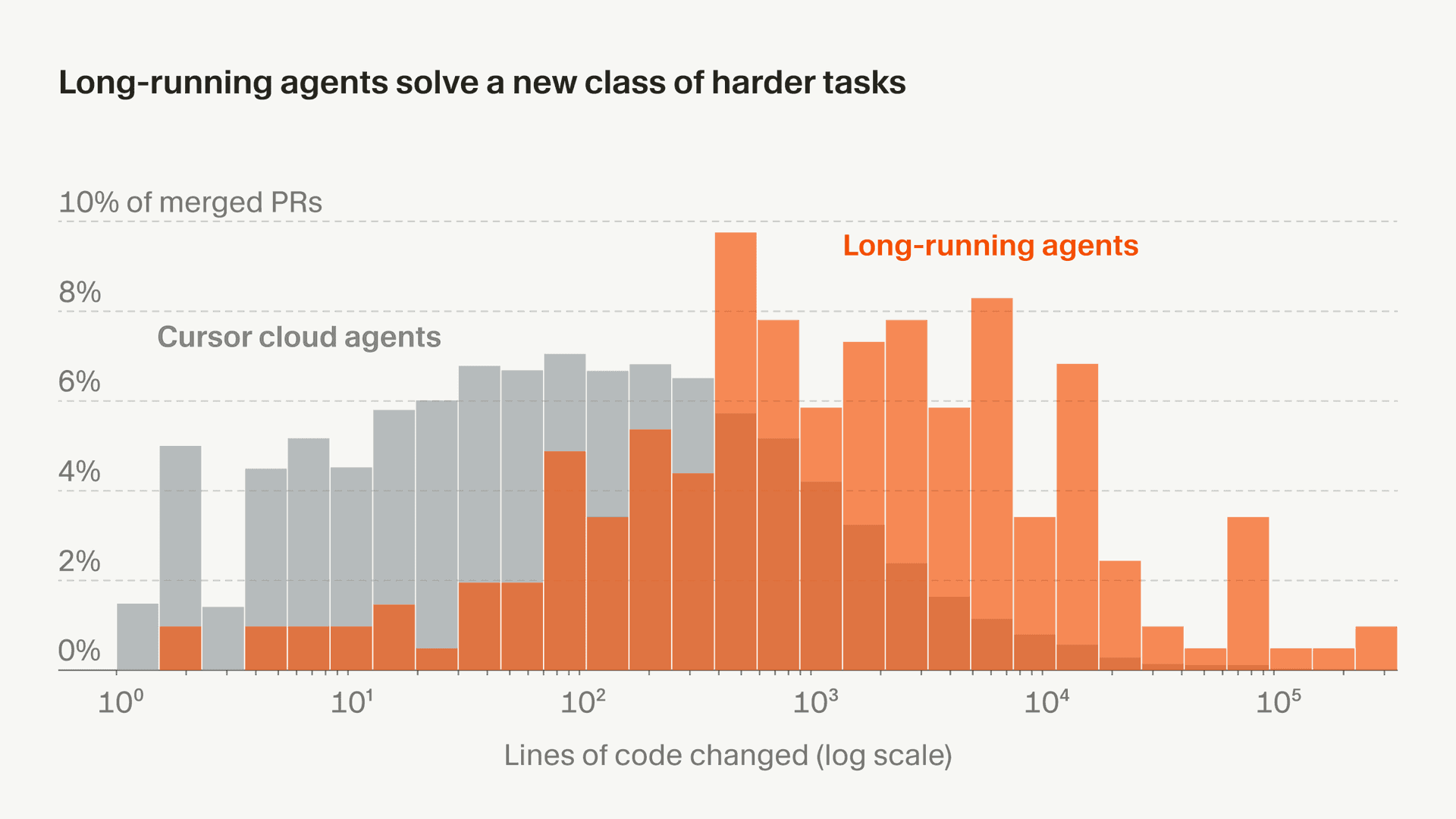
Cursor can now work autonomously over longer horizons to complete larger, more complex tasks. Long-running agents plan first and finish more difficult work without human intervention.

In research preview and internal testing, long-running agents completed work that was previously too hard for regular agents. This led to larger, more complete PRs with fewer obvious follow-ups.

Cursor's long-running agent is now available at cursor.com/agents for Ultra, Teams, and Enterprise plans.

Read more in our announcement.

Subagents, Skills, and Image Generation

Agents are solving increasingly complex, long-running tasks across your codebase. This release introduces new agent harness improvements for better context management, as well as many quality-of-life fixes in the editor and CLI.

Subagents

Subagents are independent agents specialized to handle discrete parts of a parent agent's task. They run in parallel, use their own context, and can be configured with custom prompts, tool access, and models.

The result is faster overall execution, more focused context in your main conversation, and specialized expertise for each subtask.

Cursor includes default subagents for researching your codebase, running terminal commands, and executing parallel work streams. These will automatically start improving the quality of your agent conversations in the editor and the Cursor CLI.

Optionally, you can define custom subagents. Learn more in our docs.

Skills

Cursor now supports Agent Skills in the editor and CLI. Agents can discover and apply skills when domain-specific knowledge and workflows are relevant. You can also invoke a skill using the slash command menu.

Define skills in SKILL.md files, which can include custom commands, scripts, and instructions for specializing the agent’s capabilities based on the task at hand.

Compared to always-on, declarative rules, skills are better for dynamic context discovery and procedural “how-to” instructions. This gives agents more flexibility while keeping context focused.

Image generation

Generate images directly from Cursor's agent. Describe the image in text or upload a reference to guide the underlying image generation model (Google Nano Banana Pro).

Images are returned as an inline preview and saved to your project's assets/ folder by default. This is useful for creating UI mockups, product assets, and visualizing architecture diagrams.

Cursor Blame

On the Enterprise plan, Cursor Blame extends traditional git blame with AI attribution, so you can see exactly what was AI-generated versus human-written.

When reviewing or revisiting code, each line links to a summary of the conversation that produced it, giving you the context and reasoning behind the change.

Cursor Blame distinguishes between code from Tab completions, agent runs (broken down by model), and human edits. It also lets you track AI usage patterns across your team's codebase.

Clarification questions from the agent

The interactive Q&A tool used by agents in Plan and Debug mode now lets agents ask clarifying questions in any conversation.

While waiting for your response, the agent can continue reading files, making edits, or running commands, then incorporate your answer as soon as it arrives.

You can also build custom subagents and skills that use this tool by instructing them to "use the ask question tool."

  • Use agent to start working with the upgraded Cursor CLI in your terminal.
  • MCP server definitions and tools now live as JSON files in .cursor. Agents discover and load MCPs only when needed, reducing token usage and keeping the context focused.
  • Agents can now proactively request switching modes mid-conversation when it detects a different mode would be more effective for the task. You can also auto-approve and auto-reject specific transitions.
  • Fast read-only diff viewer improved performance of the review changes pane.
  • It's now faster to open and resize any chats which used inline code blocks.
  • Agents can now read PDFs, which you can attach in chats as context.
  • CLI can be linked to run as a service account.
  • Improved capabilities & coverage for hooks: stop hook; modify prompts beforeSubmitPrompt ; PreToolUse and PostToolUse hooks.
  • Hook commands now start 40x faster.
  • The in-editor browser is now 10× faster at navigation, with more reliable click actions, drag-and-drop support, and improved text input handling. Agents can also lock the browser while working to prevent accidental interference.
  • Light mode is now supported in the Cursor web dashboard.
  • We've removed the peek sidebar based on your feedback.
  • Windows notifications now have accept/reject buttons like MacOS.
  • Users who choose to "Run Everything" will never have their agents blocked.
  • Editing skills and rules files no longer requires approval in sandboxes.
  • Git writes are now allowed in sandboxes.
  • File edit approvals persist for the entire agent session in sandboxes.
  • Out-of-workspace folder edits can be allowed for the session in sandboxes.
  • Added team and MDM hooks support to CLI with more efficient execution.
  • Added more hooks to CLI already supported in the editor. See the full list of hooks in our docs.
  • Added compatibility with Claude Code hooks in CLI.
  • Faster startup on warm starts in CLI.
  • Unified CLI permissions with the editor, including Run Everything, Auto-Run in Sandbox (if available), and Ask Every Time (allowlist).
  • Improved Ctrl+C detection prevents accidental exits when canceling agent runsin CLI.
  • Ctrl+D now exits immediately on empty chat, matching common shell behavior in CLI.
  • Added -continue to quickly resume your last chat session (shorthand for --resume=-1) in CLI.
  • /mcp enable and /mcp disable now only show relevant MCP servers in autocomplete in CLI.
  • Added /max-mode [on|off] to toggle max mode on models that support it in CLI.
  • Better vim mode support in CLI.

  • Fixed performance issue with adding more MCP server connections.
  • Fixed text being truncated in Windows UI elements including chat tab titles, code block headers, and @-mentions.
  • Fixed the Browser panel rendering on top of other UI components.
  • Browser can now request local network permissions, fixing authentication flows with identity providers like Okta.
  • Fixed issues with splitting and joining browser tabs.
  • Improved message queueing with better handling, and added drag-and-drop reordering for queued items.
  • Fixed chat tabs persistence after reloading or restarting the app.
  • Fixed syntax highlighting issues in git worktrees.
  • Fixed stale diff views from previous sessions remaining visible after app restart.
  • Fixed tabs disappearing when the titlebar is hidden.
  • Fixed the accept/reject diff UI sometimes not appearing when edits were made to dotfiles.
  • Fixed some cases of input lag when handling rapid text changes in CLI.
  • Fixed text wrapping in queued follow-ups in CLI.
  • Fixed an issue allowing edit tool usage during plan mode execution in CLI.

CLI Agent Modes and Cloud Handoff

This release brings many of the editor’s most-loved features to the Cursor CLI, along with improvements that make it easier to use.

Plan mode in CLI

Use Plan mode to design your approach before coding. Cursor will ask clarifying questions to refine your plan. Get started with /plan or --mode=plan.

Ask mode in CLI

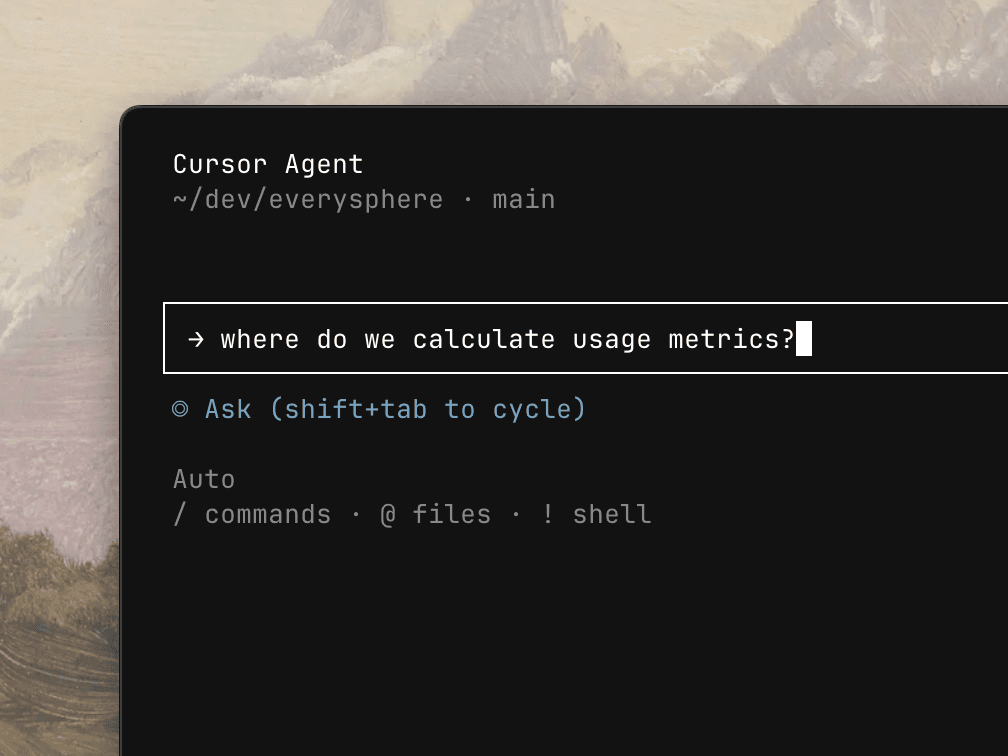
Use Ask mode to explore code without making changes, just like in the editor. Start asking questions with /ask or --mode=ask.

Handoff to Cloud Agents

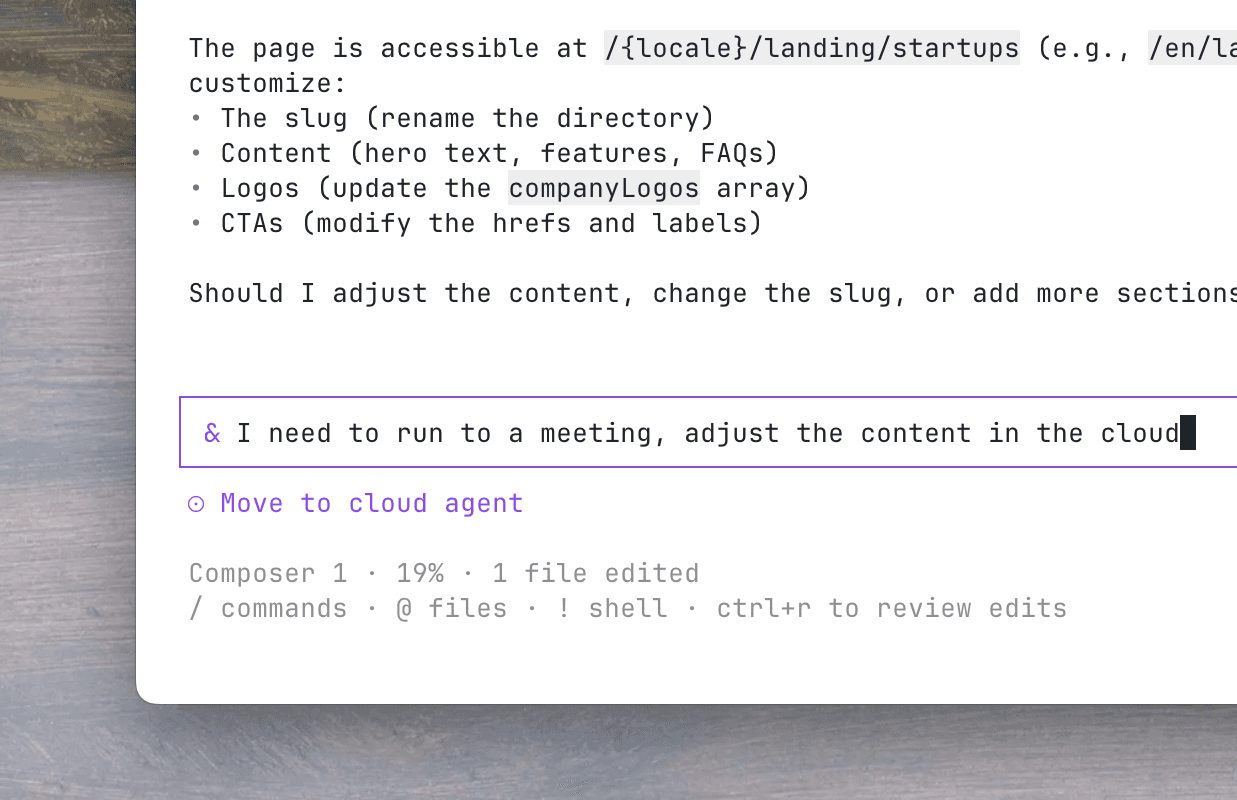
Push your local conversation to a Cloud Agent and let it keep running while you're away. Prepend & to any message to send it to the cloud, then pick it back up on web or mobile at cursor.com/agents.

Word-level Inline Diffs

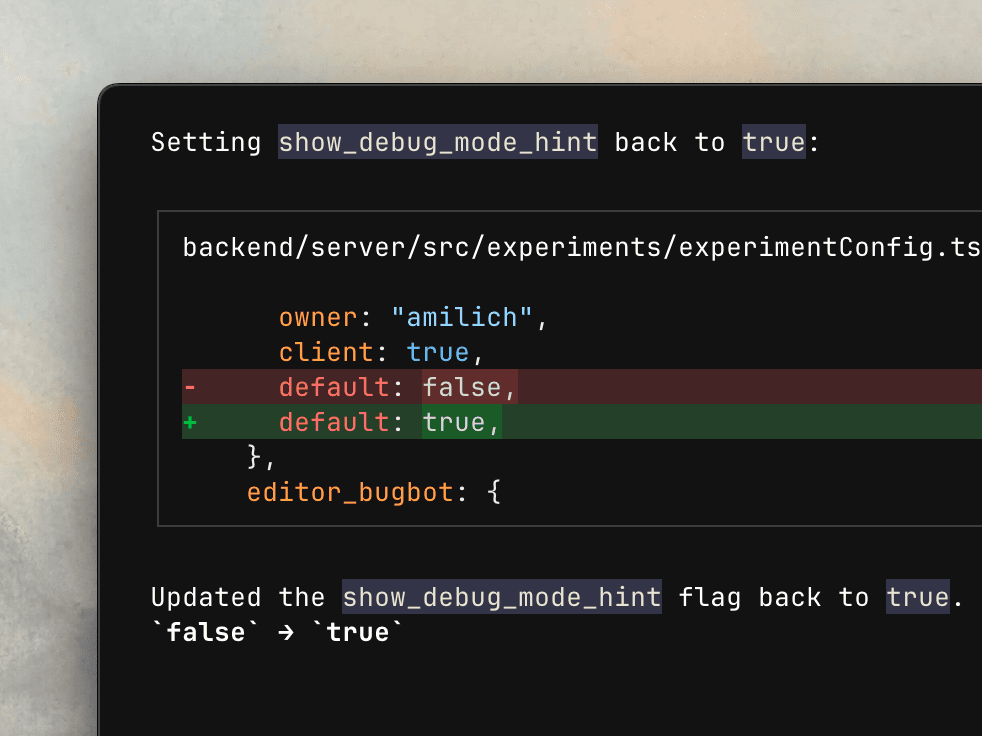
Show exactly what changed with precise word-level highlighting in the CLI.

One-click MCP authentication

Connect Cursor to external tools and data sources with a new login flow supporting automatic callback handling. The agent gets access to authenticated MCPs immediately.

Use /mcp list for an updated interactive MCP menu to browse, enable, and configure MCP servers at a glance.

  • Added hooks for session start/end, prompt, and stop for customizing agent lifecycle events.
  • See Cursor streaks and stats with /usage.
  • Added WebFetch, WebSearch tools, & approval options for granular controls over web search and fetch requests from MCP tools.
  • Added /about for seeing basic details about your environment and Cursor CLI setup.
  • Faster message queueing and UX.
  • Shift+Enter for newlines now works in iTerm2, Ghostty, Kitty, Warp, and Zed. Run /setup-terminal to auto-configure /Option+Enter Apple Terminal, Alacritty, or VS Code. Ctrl+J and \+Enter work universally as alternatives.
  • Smarter terminal environment detection for optimal keybindings and display.
  • Better markdown rendering with proper links, tables, and rules.
  • Menu resize handling, long line truncation, and stable state on window changes.

  • /list removed. Use /resume to see all prior conversations.
  • /models removed. Use /model to see all models or select a model.

  • Fixed process hangs and silent failures. Agent runs should be more stable with fewer errors.

New CLI Features and Improved CLI Performance

This release introduces new CLI controls for models, MCP management, rules and commands, alongside major hooks performance improvements and bug fixes.

Model list and selection

Use the new agent models command, --list-models flag, or /models slash command to list all available models and quickly switch between them.

Rules generation and management

Create new rules and edit existing ones directly from the CLI with the /rules command.

Enabling MCP servers

Enable and disable MCP servers on the fly with /mcp enable and /mcp disable commands.

  • Tabs are now automatically named based on chats.
  • New agent command is now the primary CLI entrypoint. cursor-agent remains as a backward-compatible alias.
  • Added agent models command, -list-models flag, and /models slash command to list all available models.
  • Added /mcp enable, /mcp disable commands to manage MCP servers.
  • Added /rules to create new rules and edit existing rules.
  • Added /commands to create new commands and edit existing commands.
  • Executed subcommands are now recorded in command history.
  • MCP server names with spaces are now supported in all /mcp commands.

  • Hooks now execute in parallel with merged responses, improving performance for projects with multiple hook scripts.
  • Hooks execution latency reduced by 10x.
  • afterFileEdit hook now correctly provides old_string with the file's previous content for proper diff capture.

  • Ctrl+D now follows standard shell behavior, requiring a double-press to exit.
  • Shift+Enter now inserts a newline instead of submitting, making it easier to write multi-line prompts.
  • Fixed ghost line rendering bug where deleted lines would leave visual artifacts on screen.
  • Fixed race condition where conversation state could be overwritten during turn completion.
  • Fixed "Cannot find module" error related to node-pty on some platforms.
  • Fixed chat name generation.
  • Fixed several bugs with follow-up messages.